

How to use Sunflower AI with Proclaim
Pull Proclaim slides into OBS over NDI, overlay Sunflower AI captions, and send the combined picture to your projector.
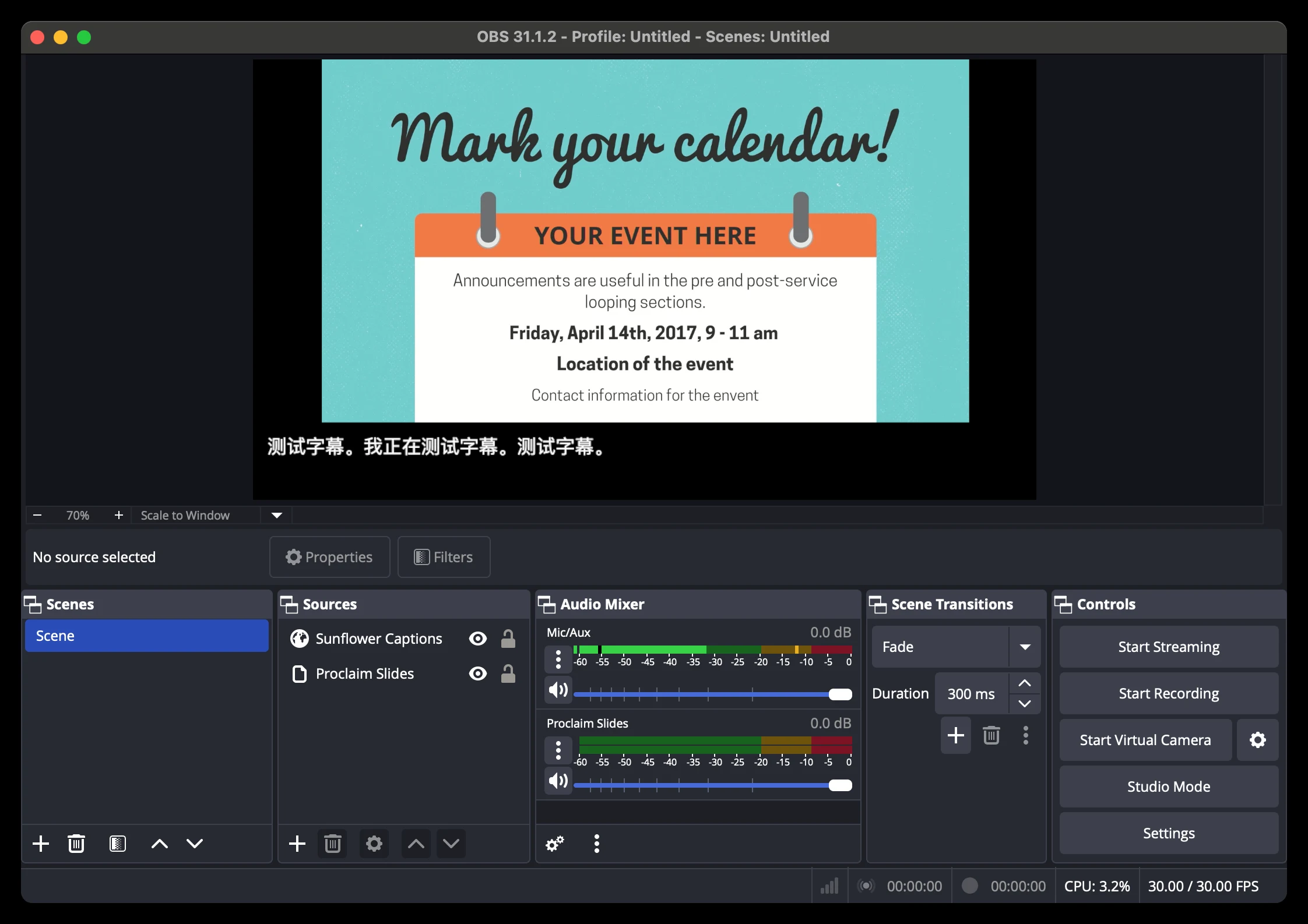
Prerequisite: download OBS and its NDI plugin
Step 1: Download OBS
Get OBS from Open Broadcaster Software | OBS.
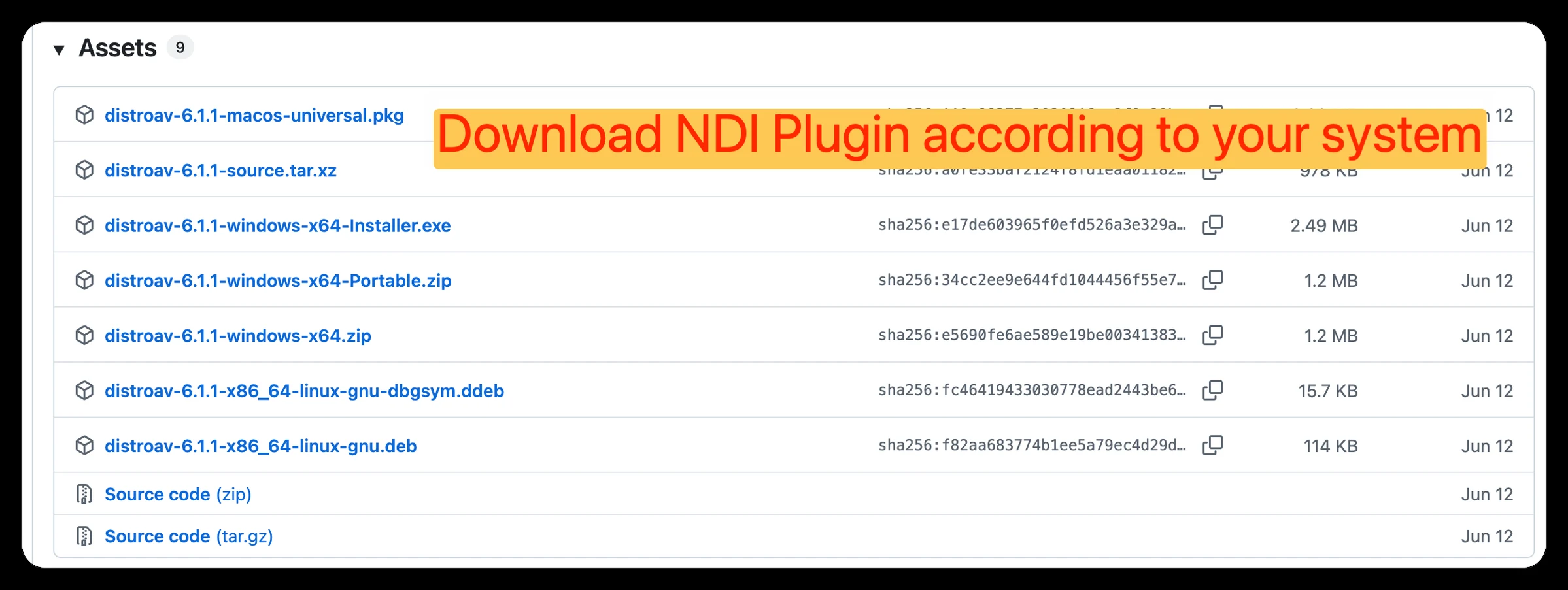
Step 2: Download the NDI plugin for OBS
Get the matching build of DistroAV 6.1.1 for your system.
Step 3: Set up OBS and allow necessary system access
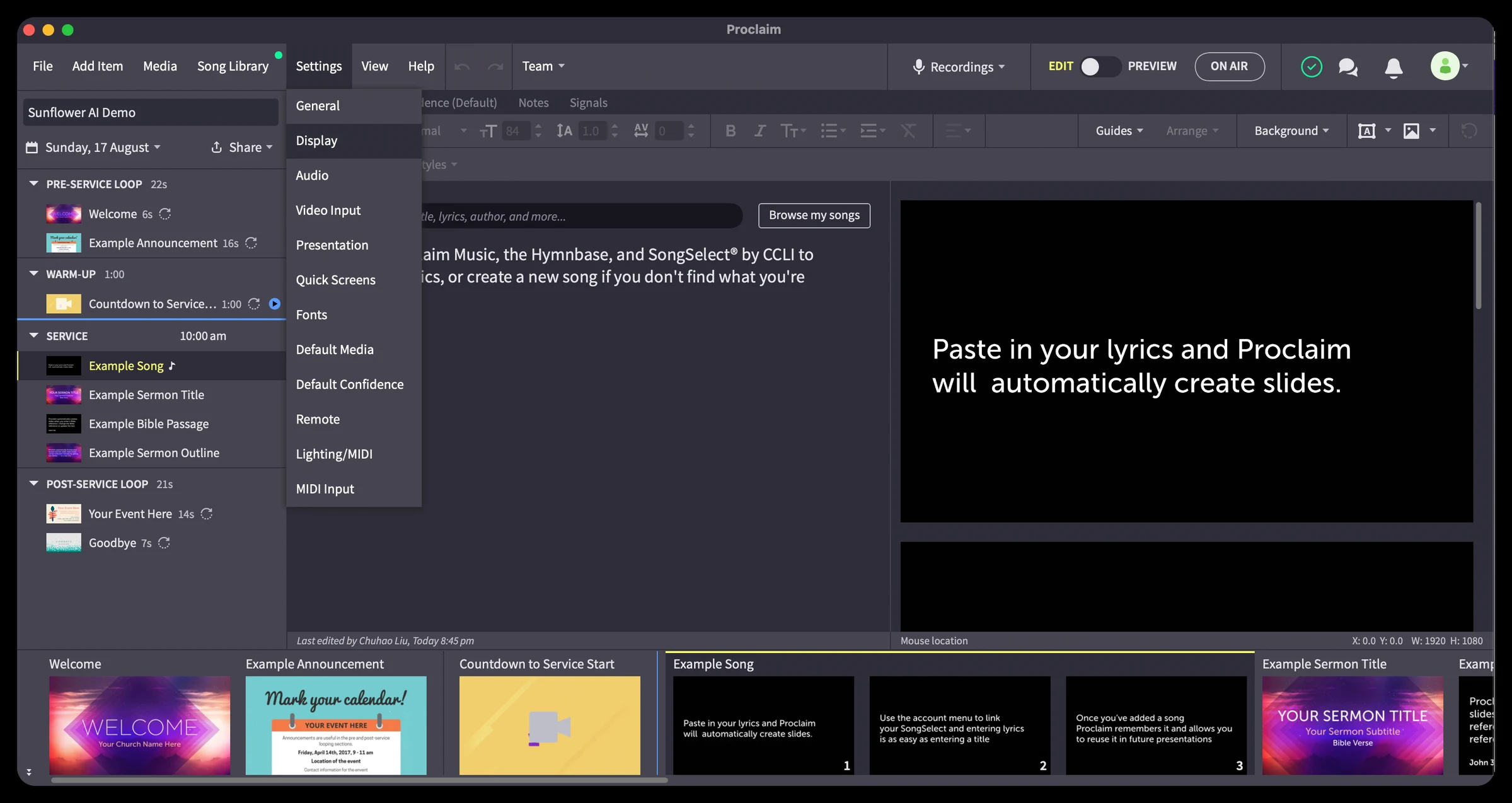
Open Proclaim
Step 4: Click “Settings” and select “Display”
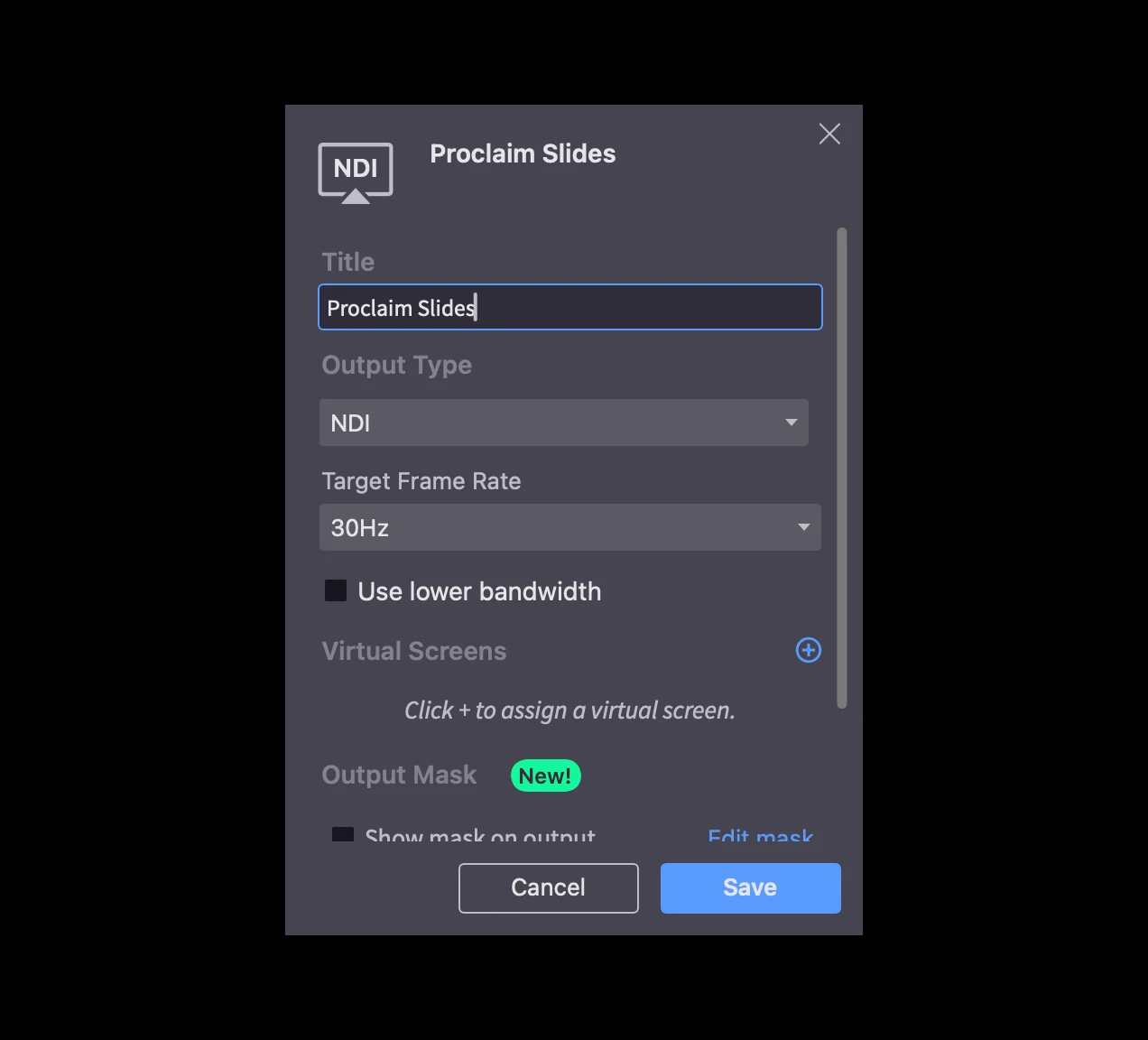
Step 5: Add custom output
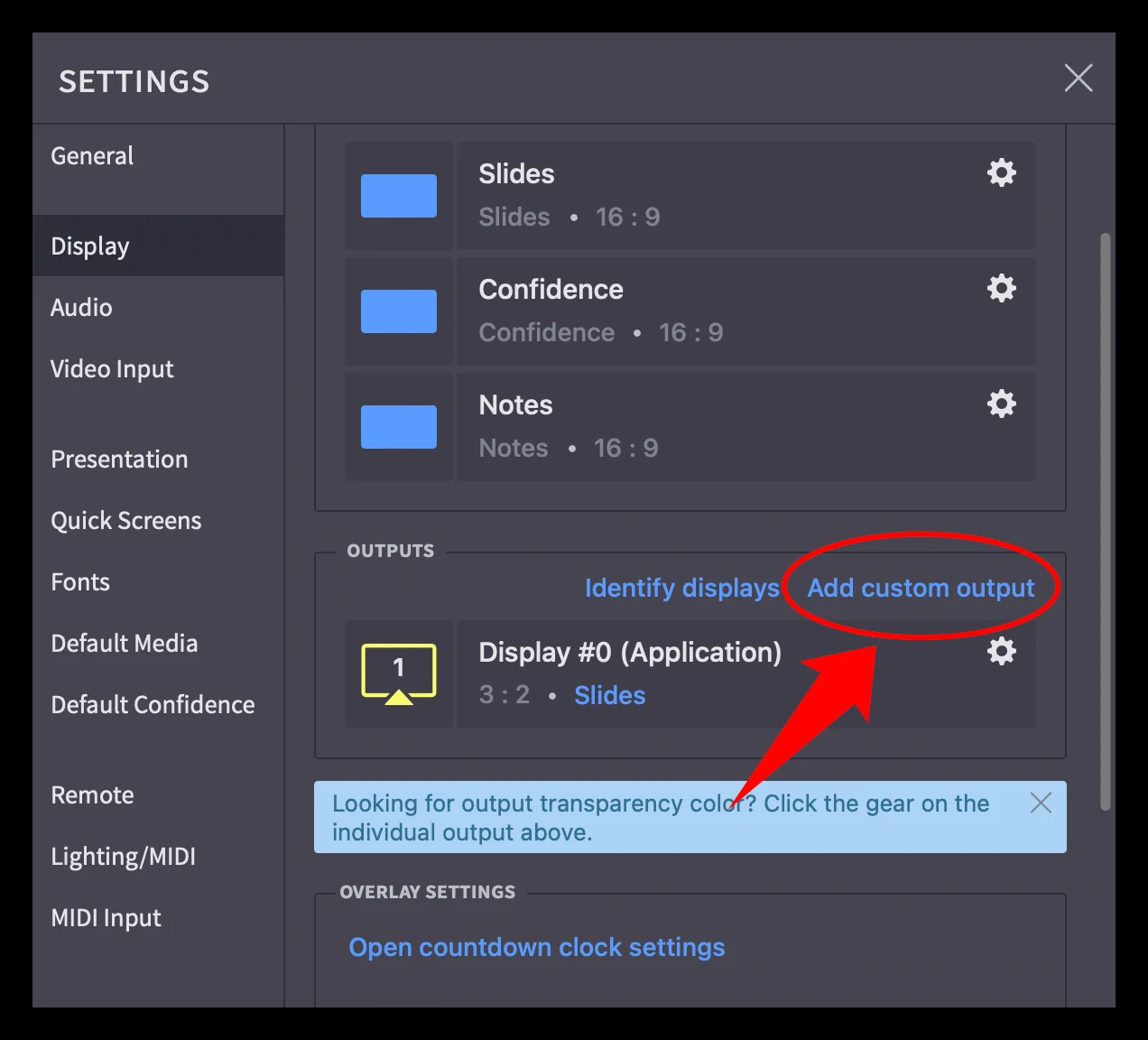
Step 6: Change “Title” to “Proclaim Slides” and click “Save”
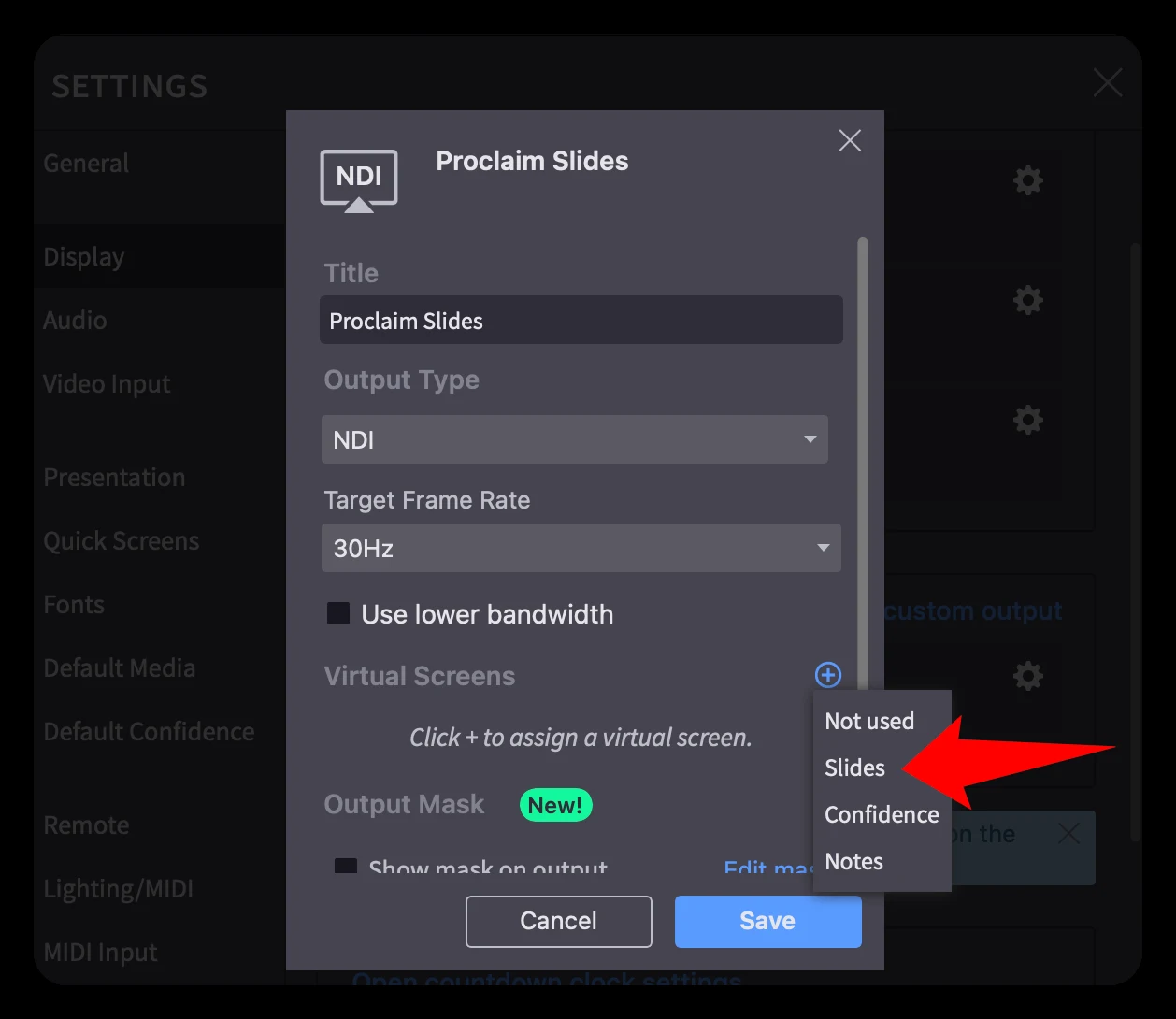
Step 7: Add a “Slides” virtual screen
Click the Add button in Virtual Screens and add Slides or your desired virtual screen.
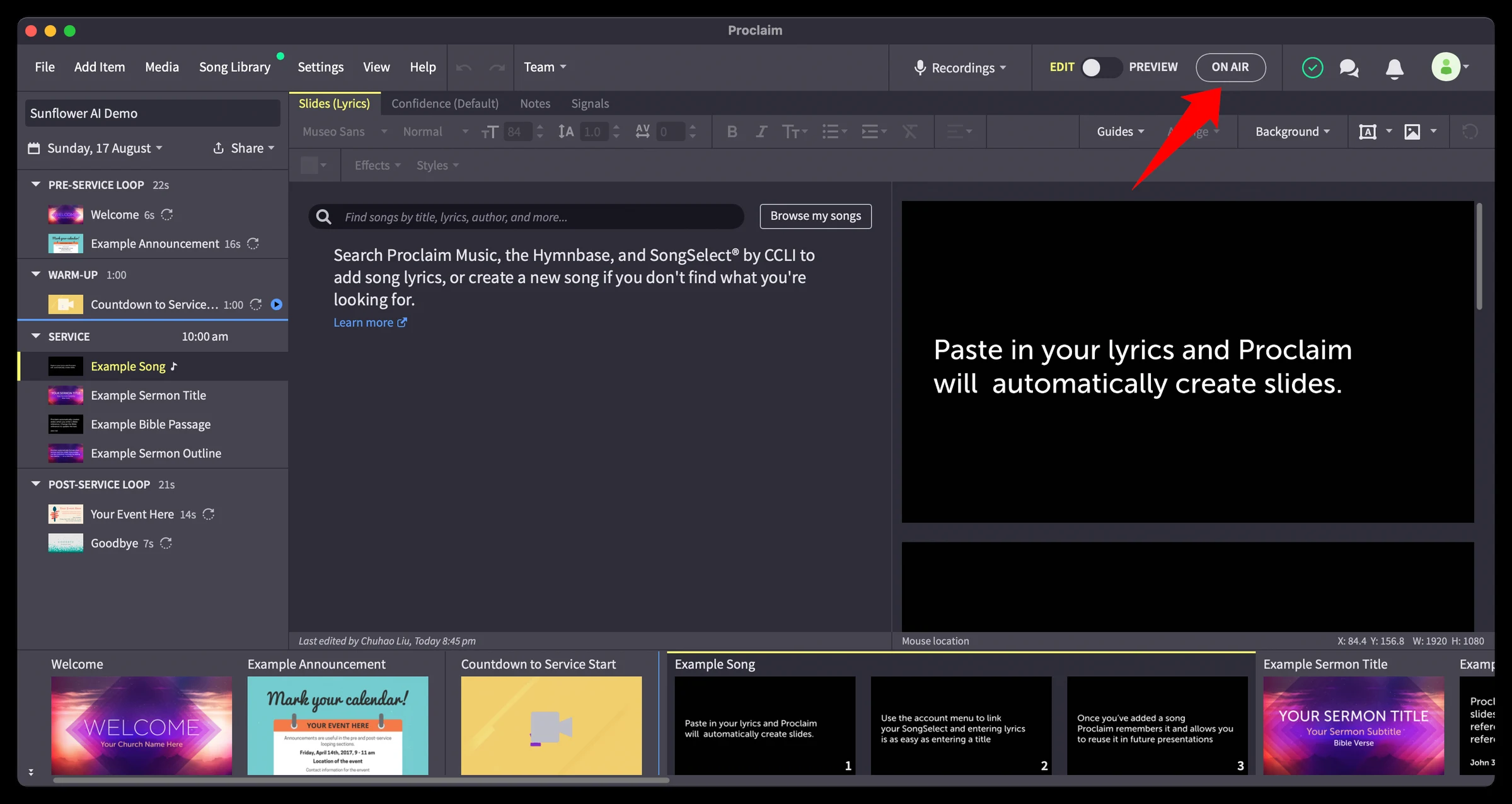
Step 8: Click “On Air”
Add Proclaim to OBS
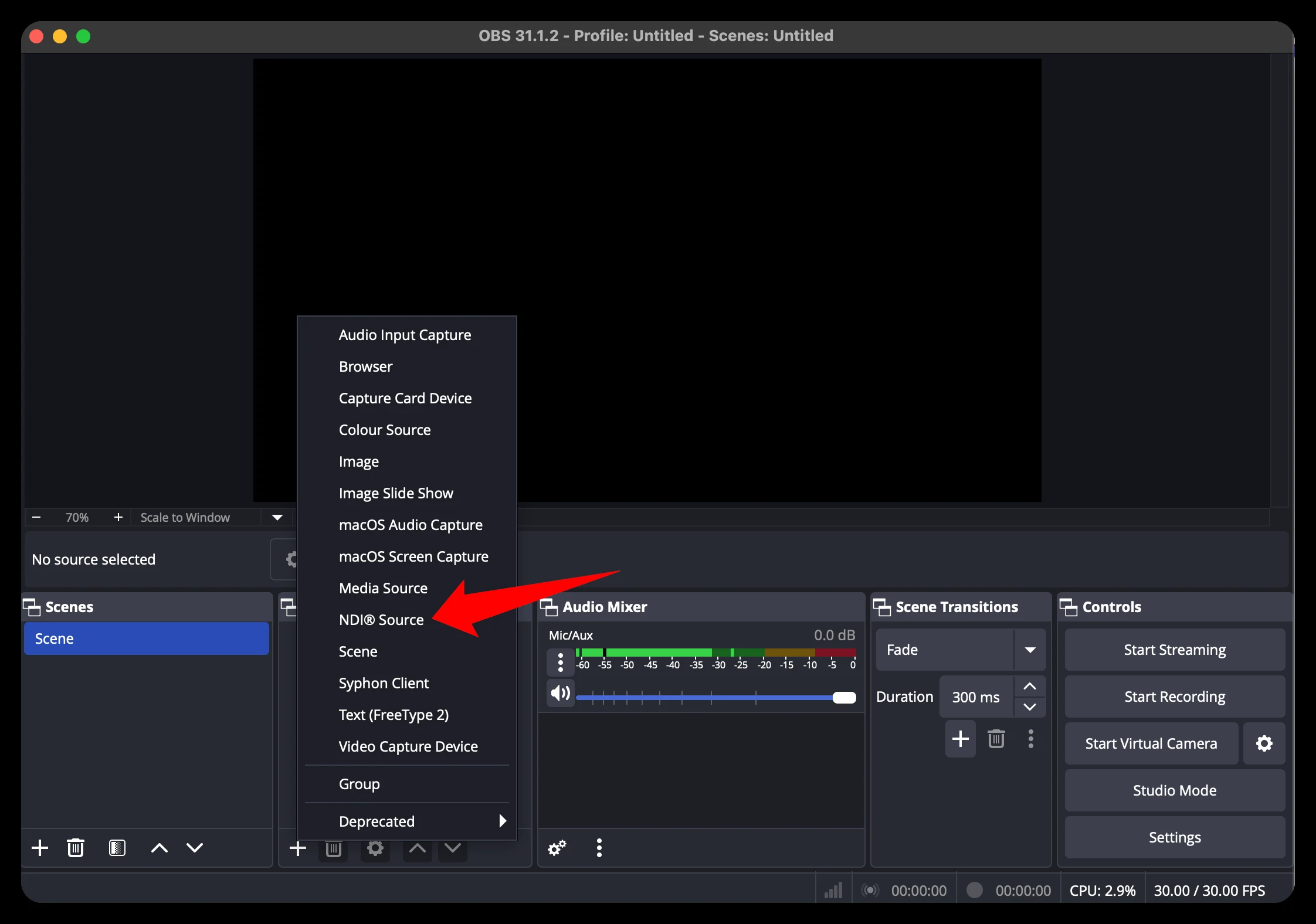
Step 9: Add an “NDI Source” in OBS
In OBS, click the Add button in Sources and click NDI Source.
Step 10: Type the Name as “Proclaim Slides” and click “OK”
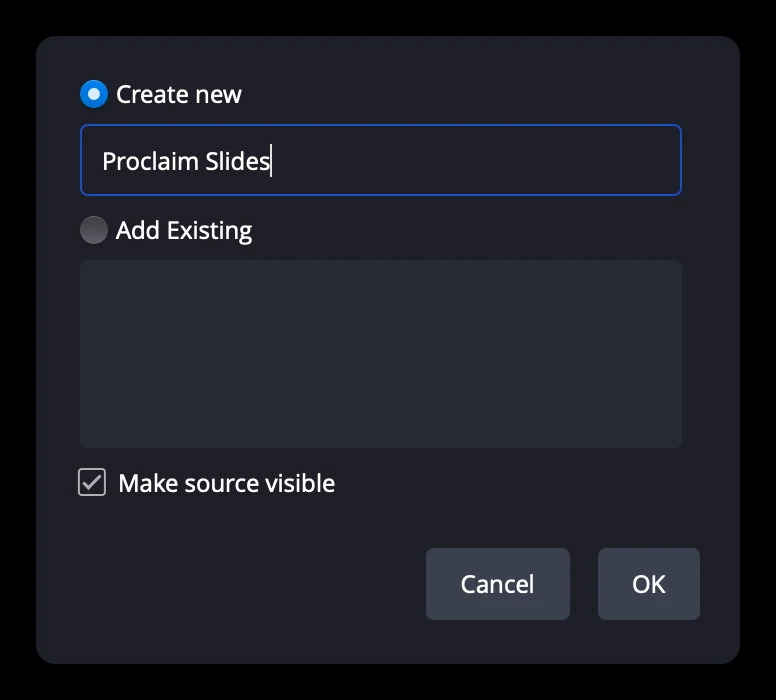
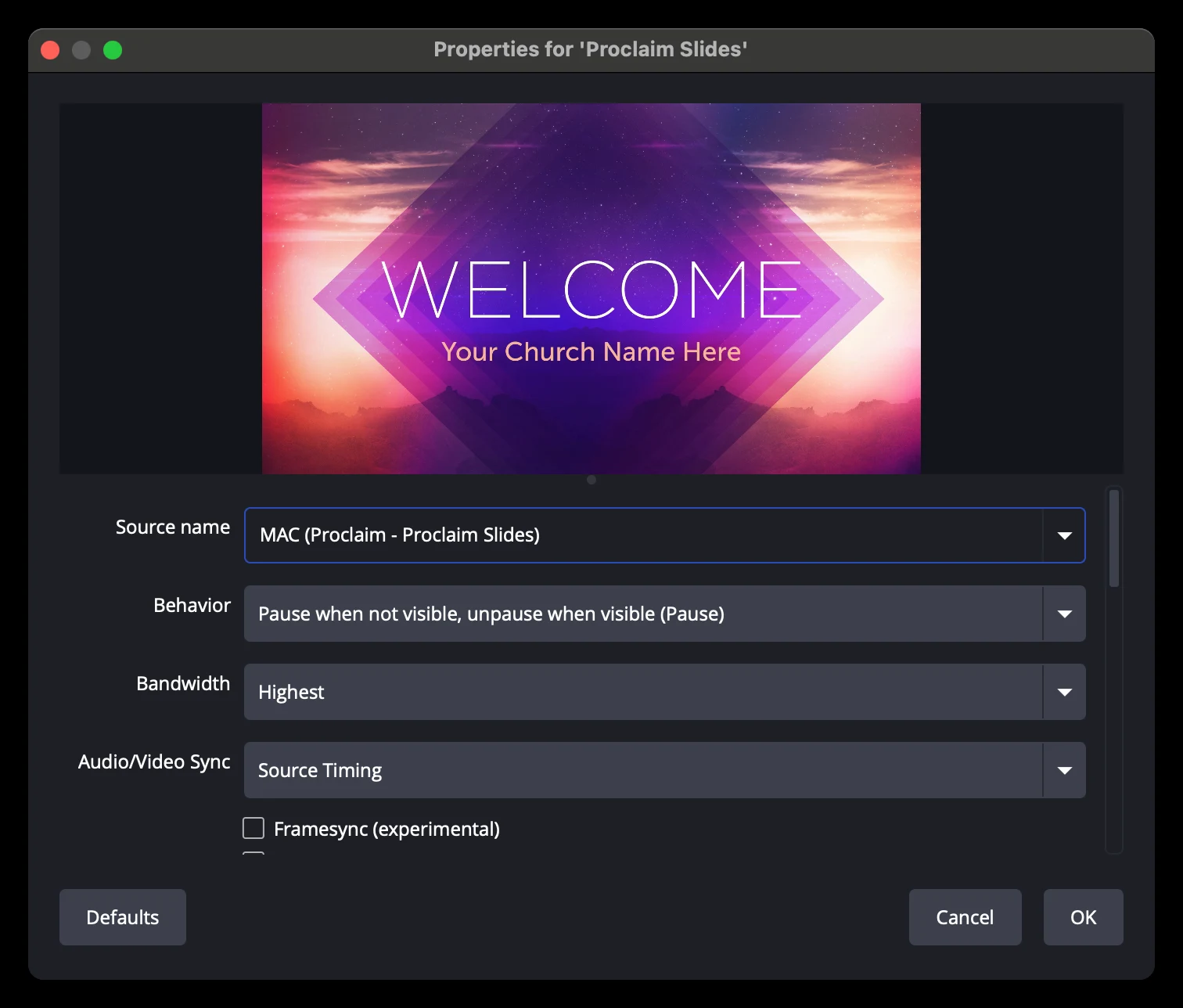
Step 11: Select the Proclaim NDI source from the dropdown
It will include Proclaim and the name of the NDI output you created in Proclaim. Click OK. (Remember, you must be On Air to see the NDI input in the dropdown.)
Open the Sunflower AI web app
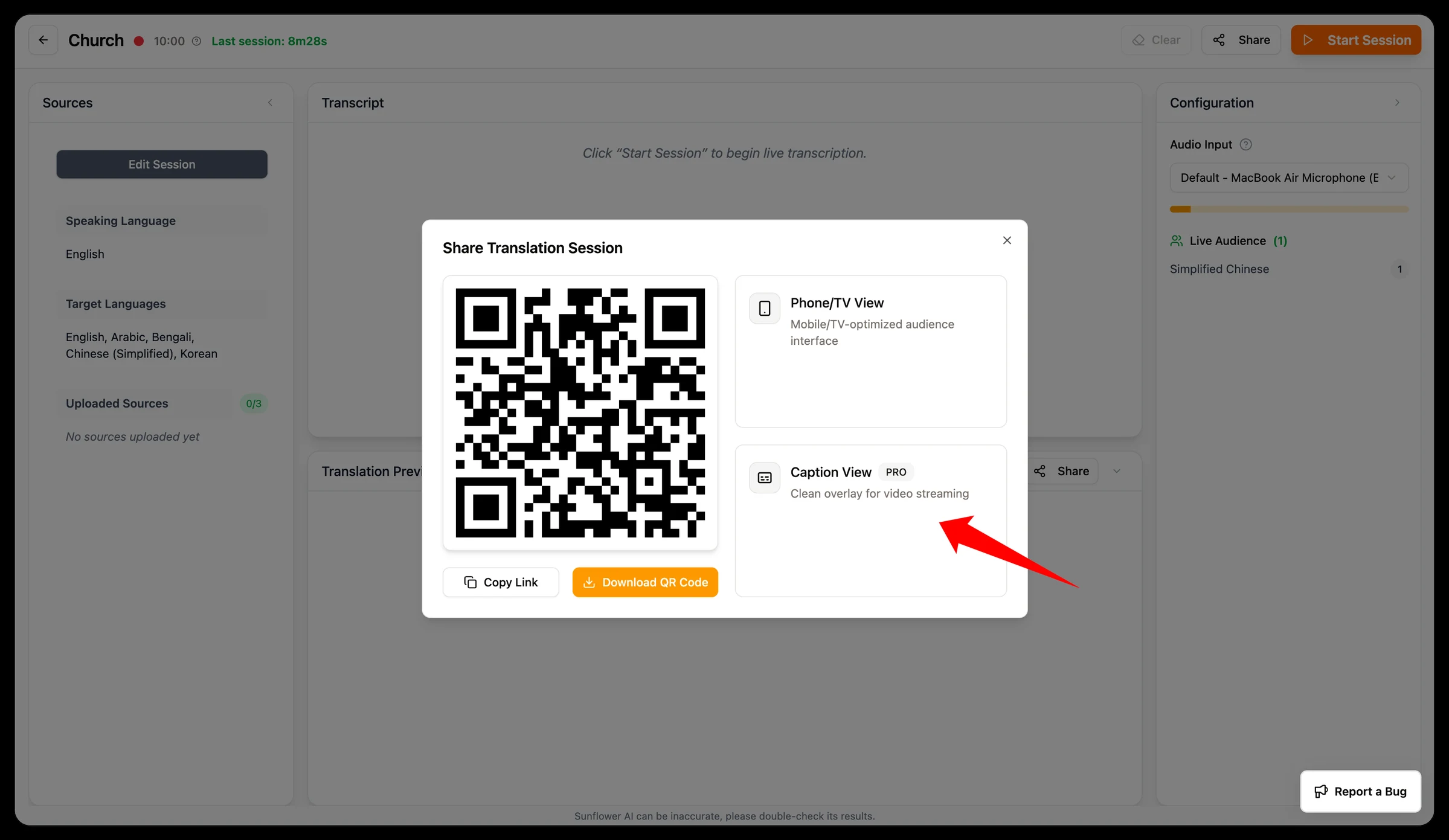
Step 12: “Enter Room” → “Share” → “Caption Overlay”
Log in to your Sunflower AI web app. Click Enter Room → Share → Caption Overlay.
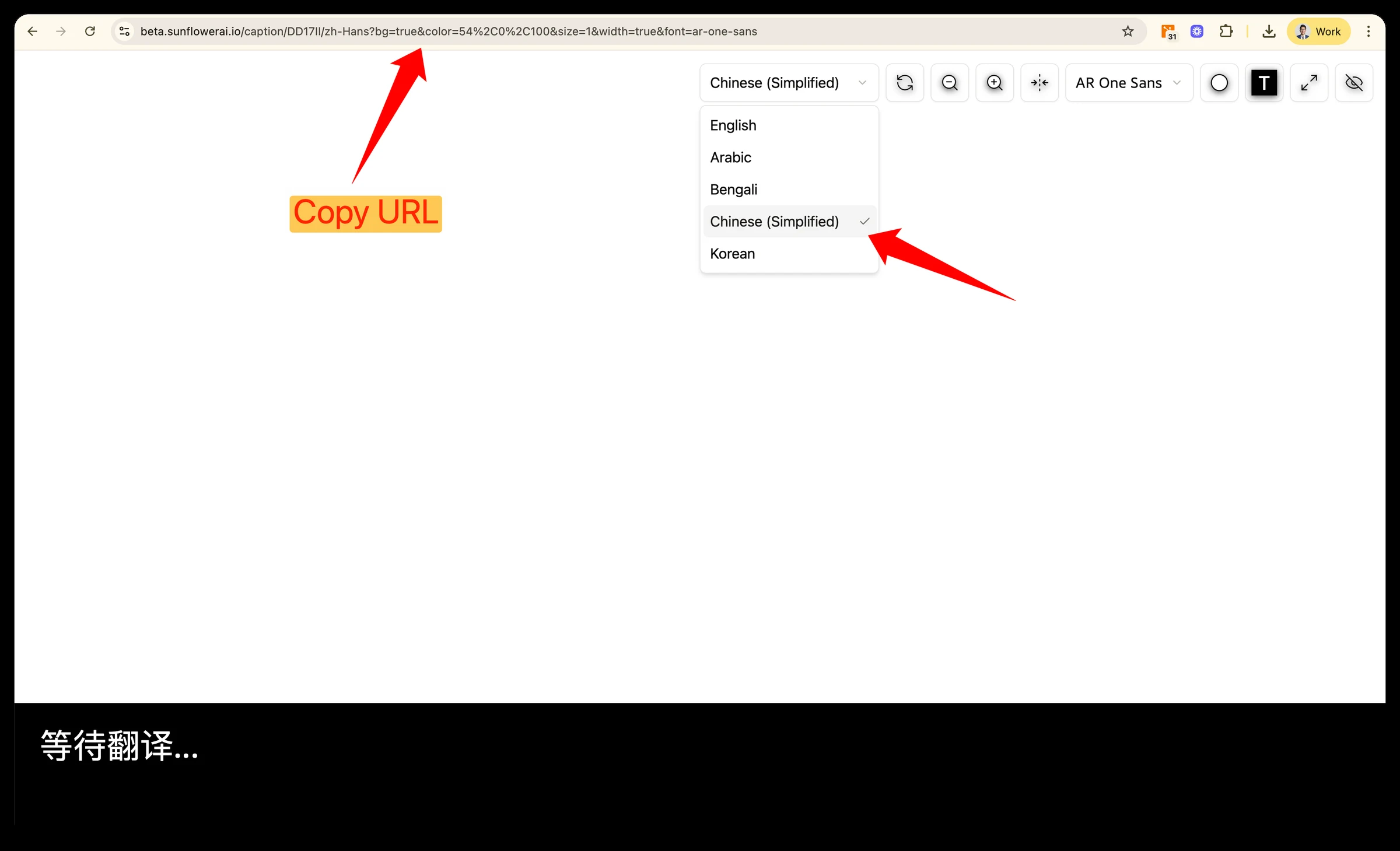
Step 13: Select language and copy the URL
URL parameters will remember the selected language and format.
Combine captions with slides in OBS
Step 14: Add a “Browser” source
In OBS Sources, add Browser.
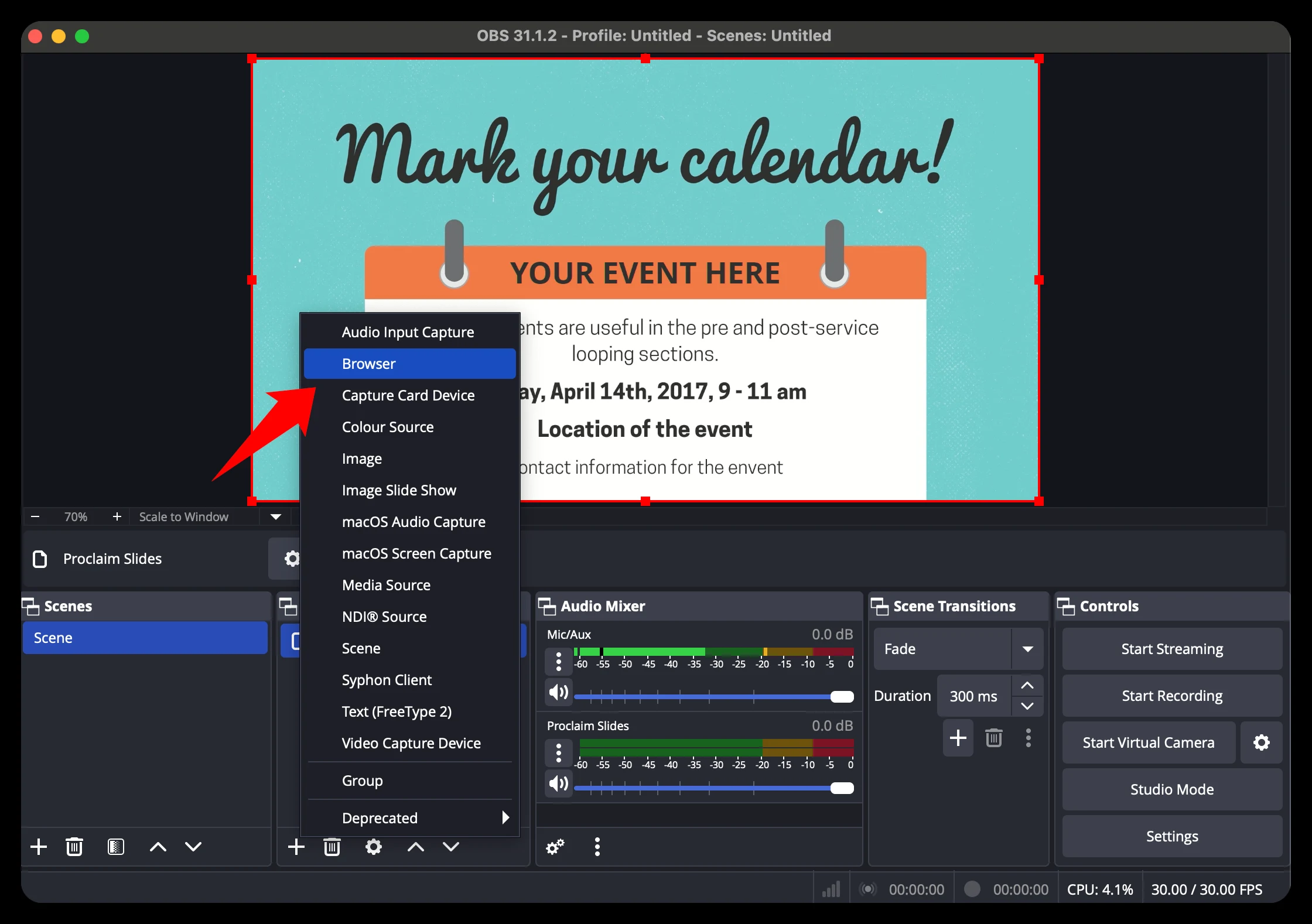
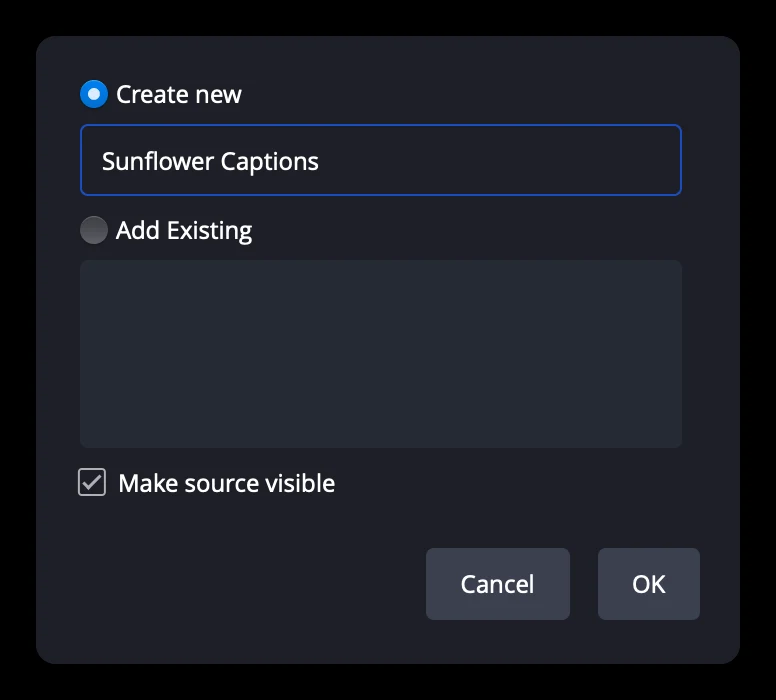
Step 15: Name it “Sunflower Captions” and click “OK”
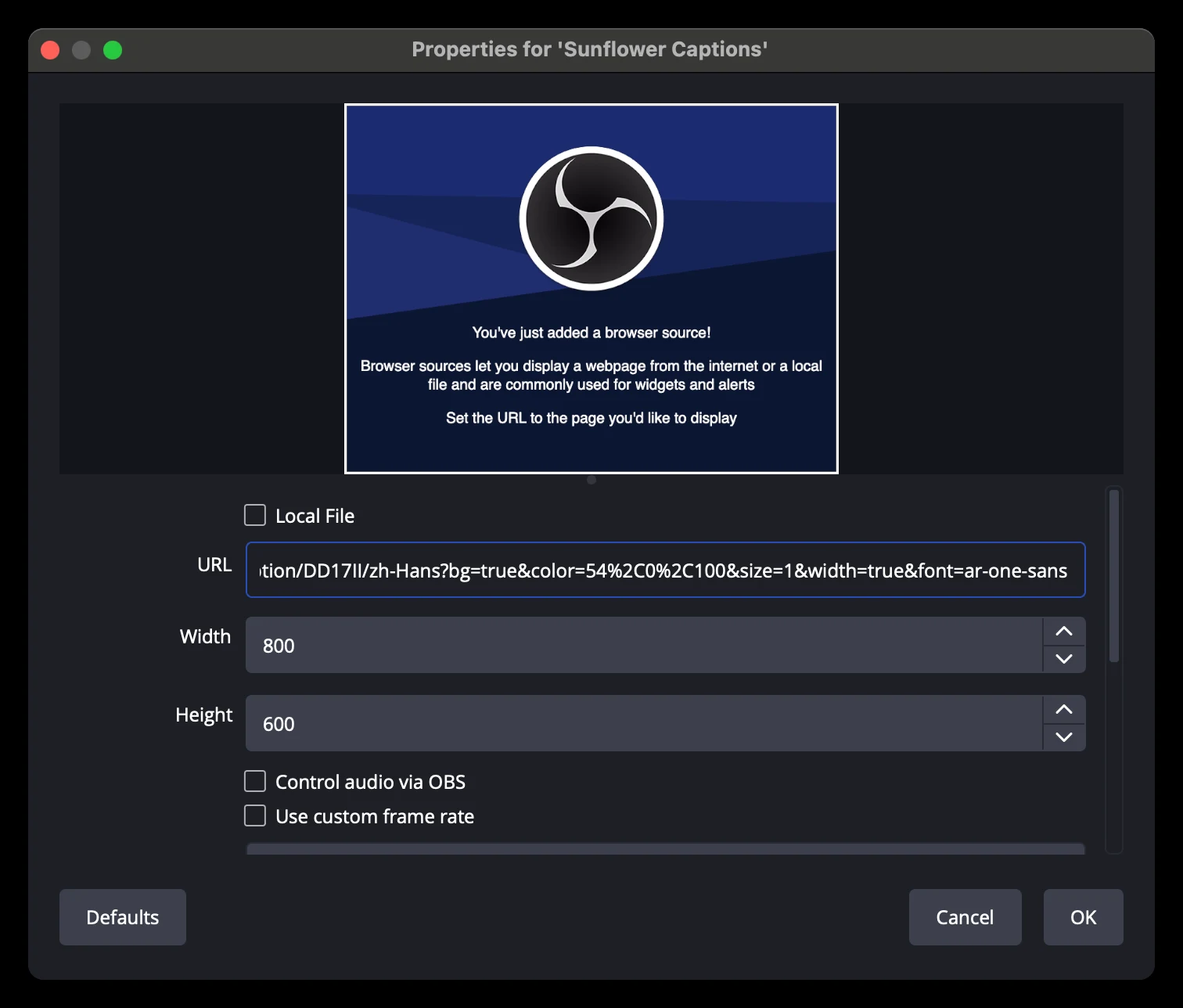
Step 16: Paste the caption URL and click “OK”
Paste the URL you copied from Sunflower AI in Step 13 and click OK.
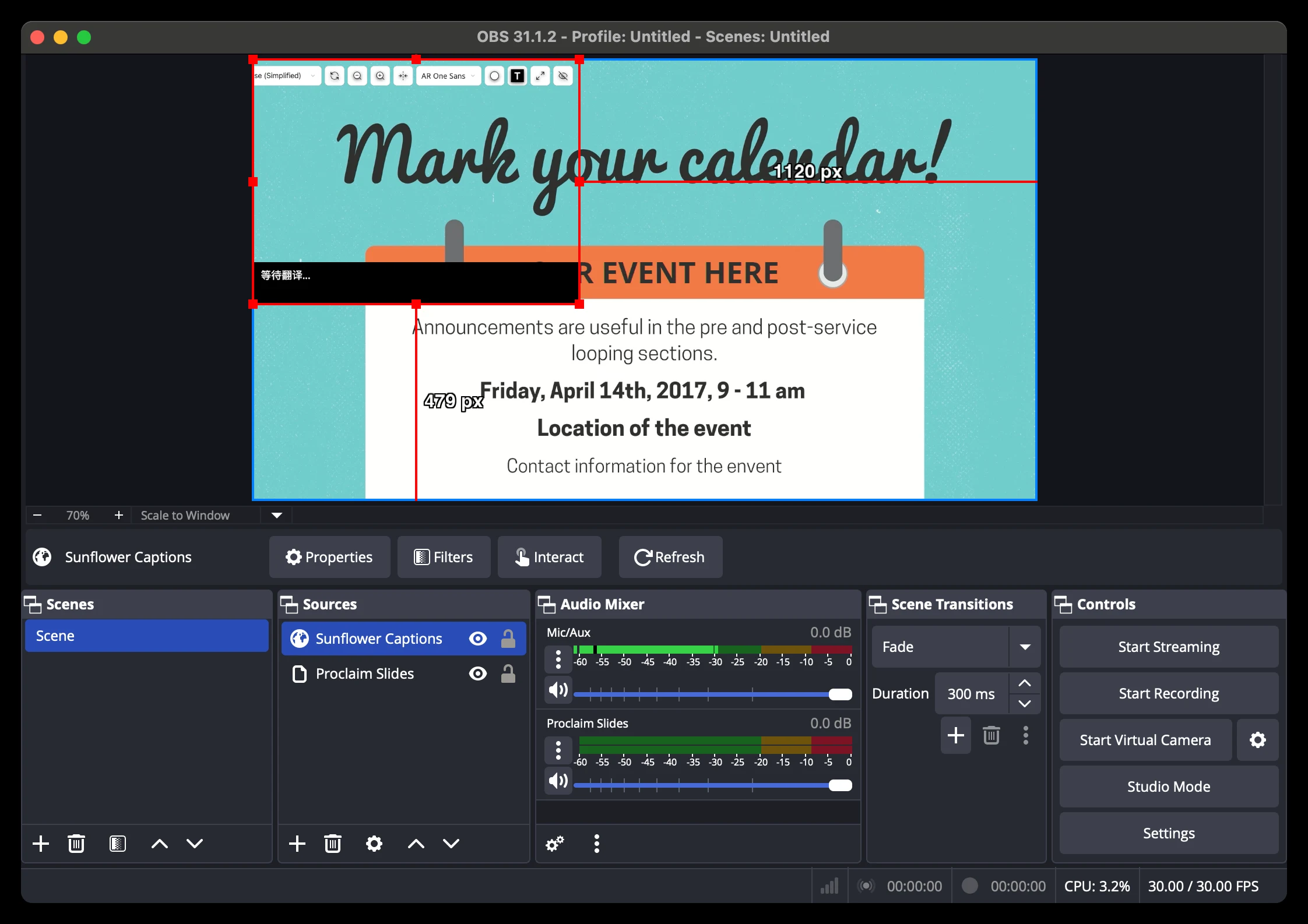
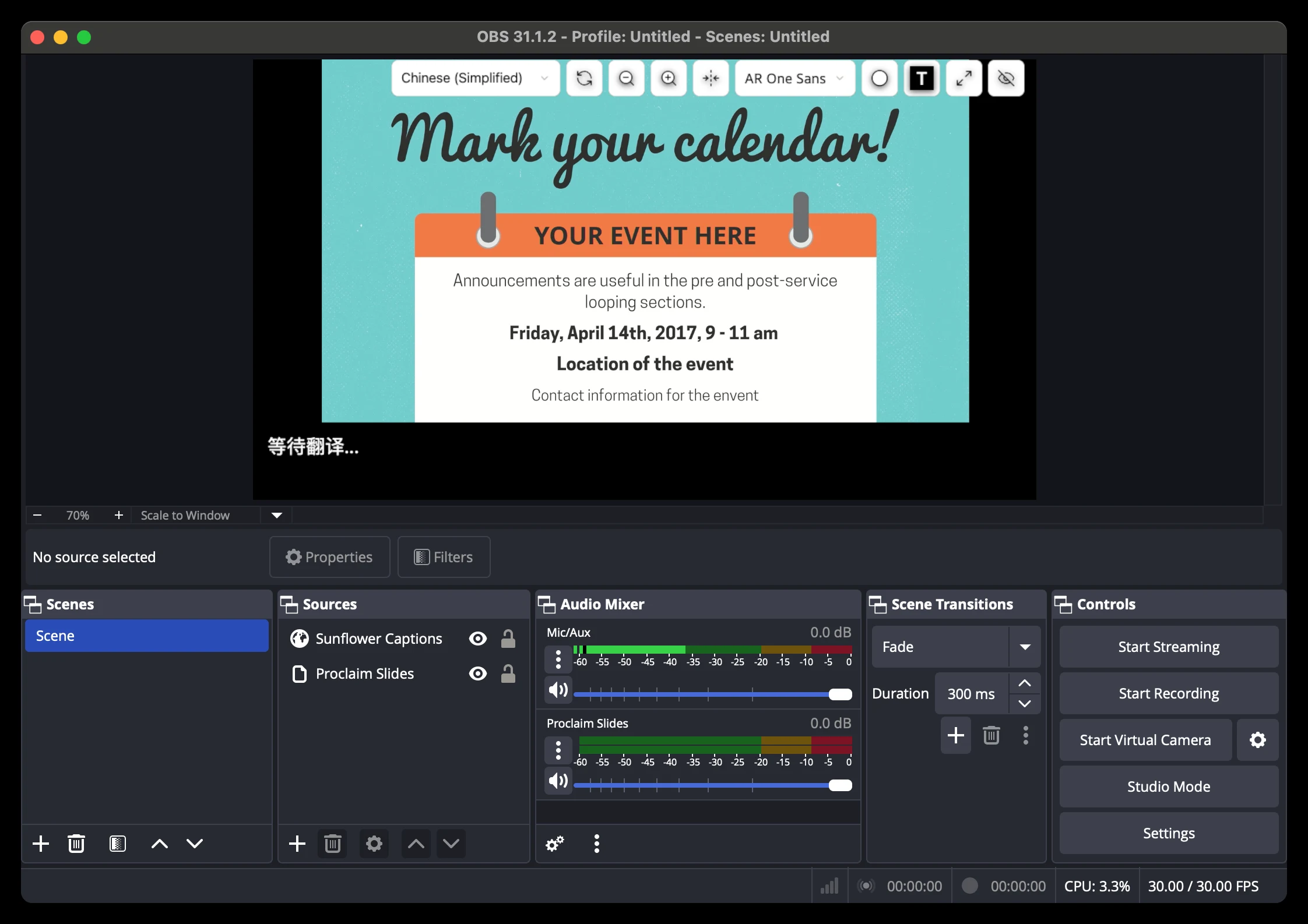
Step 17: Resize and position the sources
Your captions or slides might be too large or too small. In OBS, you can click and drag their corners to resize and position them.
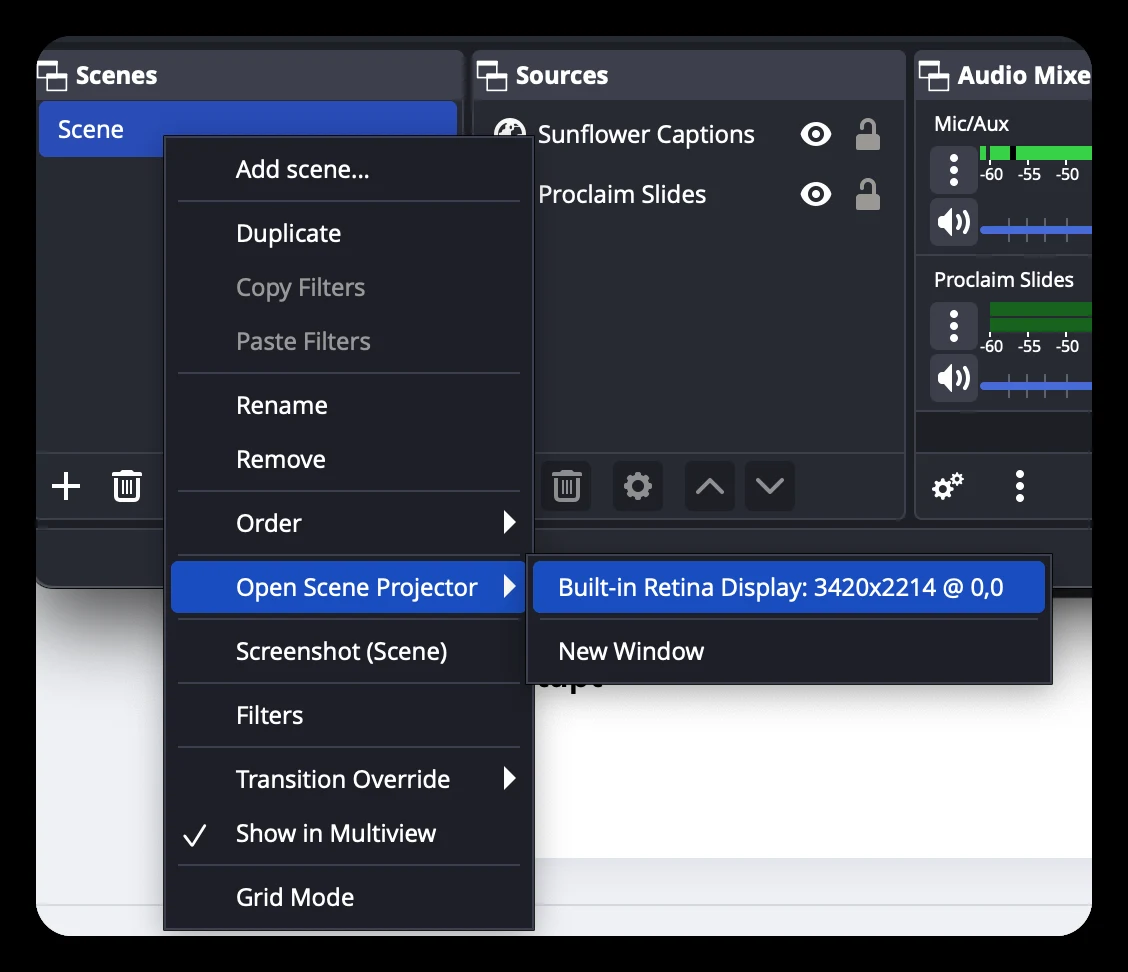
Step 18: Click “Open Scene Projector” and send to the projector
Click Scene → Open Scene Projector → select the projector to output combined slides and captions.
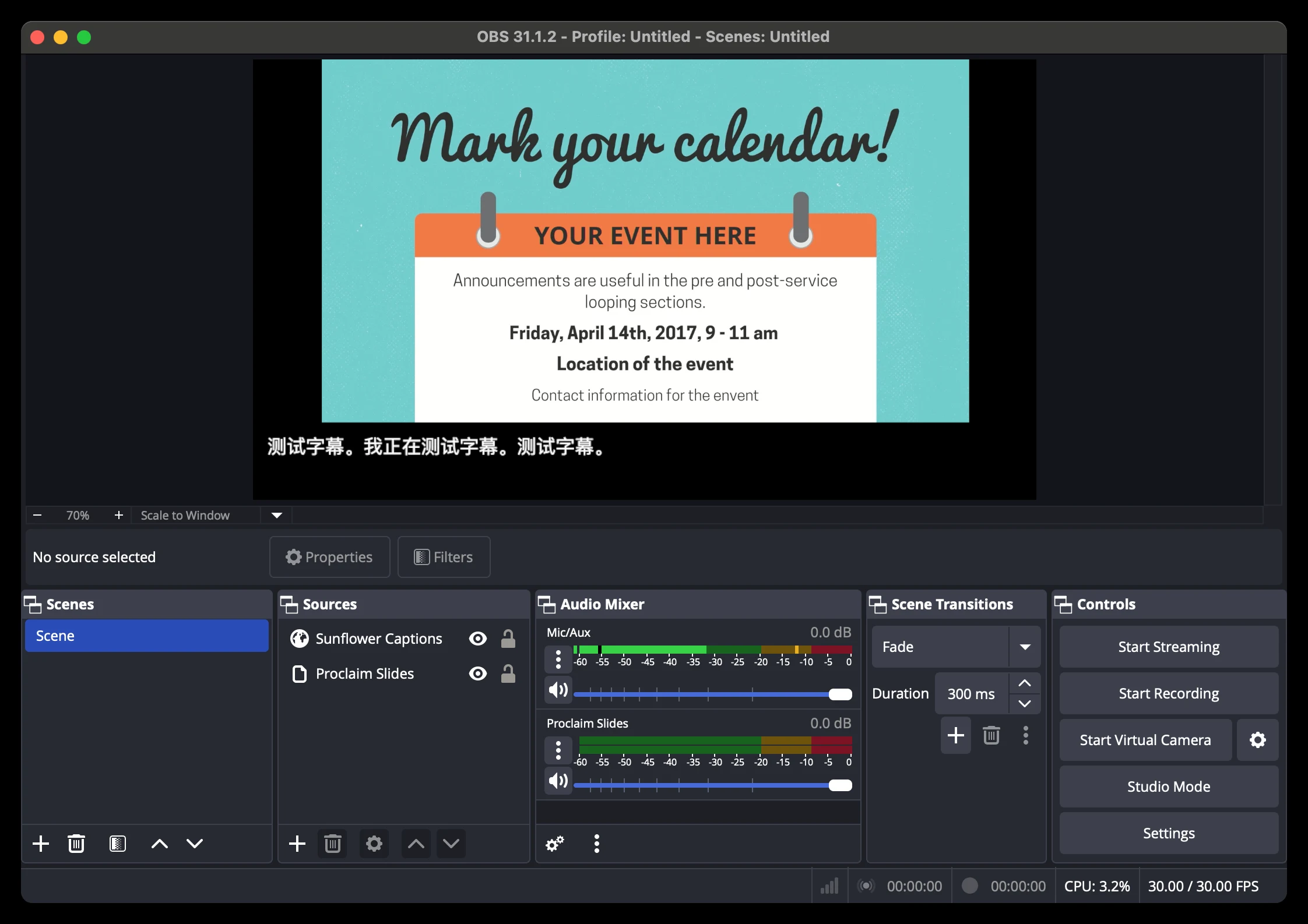
Step 19: Click “Start Session” in Sunflower AI
This starts live captioning. The Sunflower header will be auto-hidden when the session has started.
Need a hand?
Contact support@sunflowerai.io if you need help. You can also join our Facebook group for feature requests and updates.