

How to grant browser audio access to Sunflower AI church event live translation web app
How to grant audio access to Sunflower AI Live Translation for Church Services and Conferences Web App
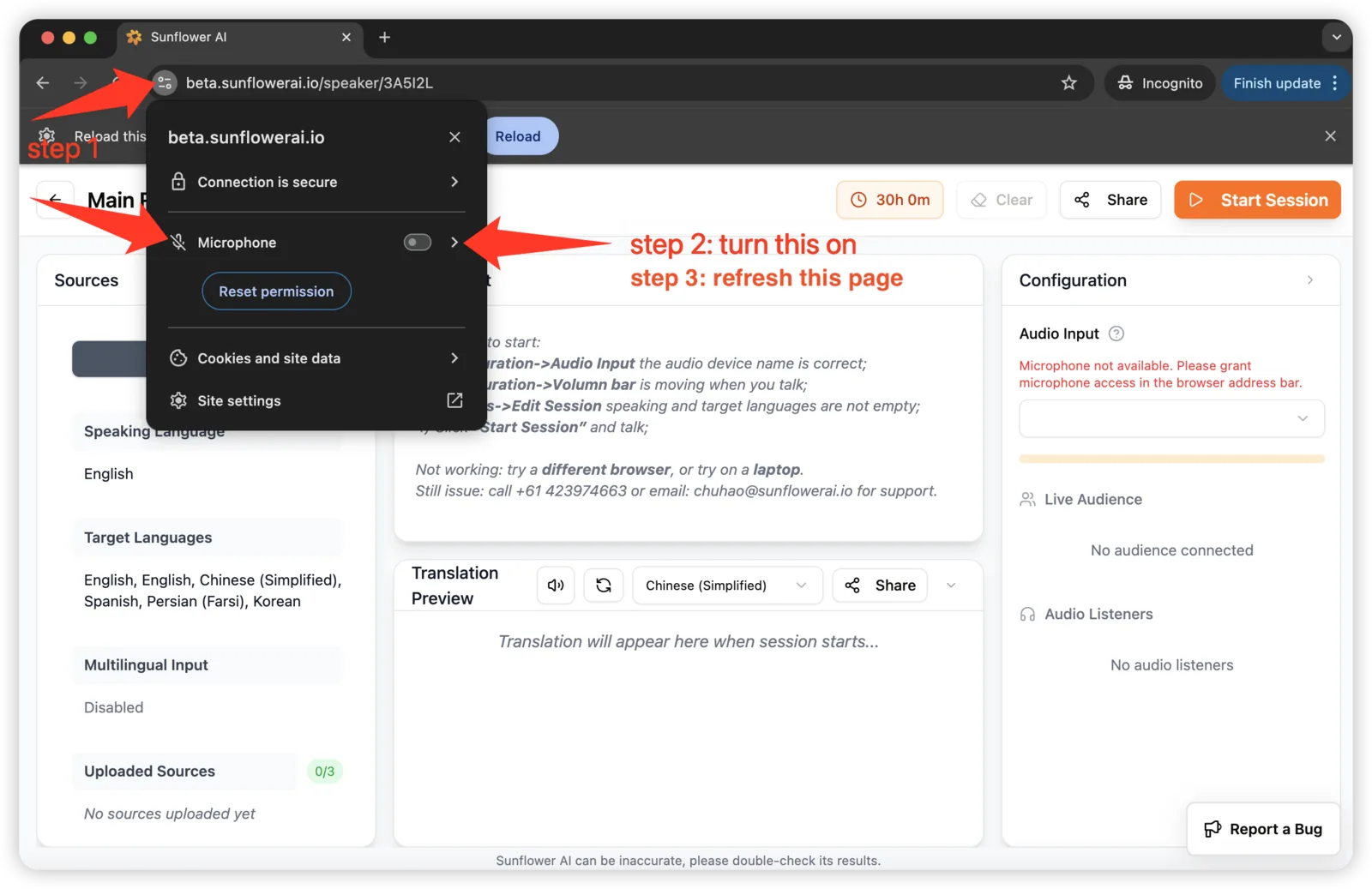
How to grant browser audio access to Sunflower AI web app
On Google Chrome (above):
Step 1: Click the Address Bar → Setting button;
Step 2: Turn on Microphone.
Step 3: Refresh the page.
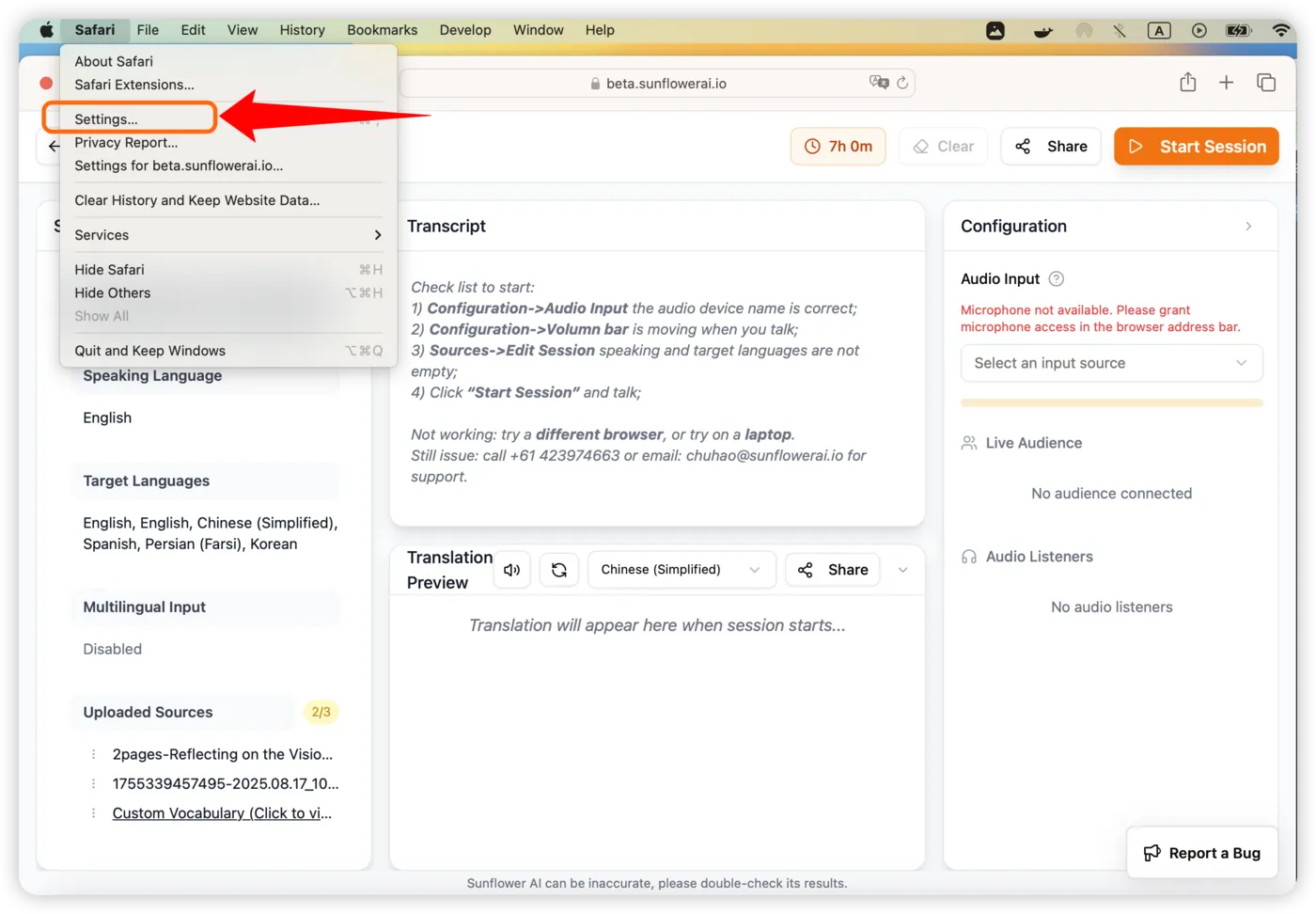
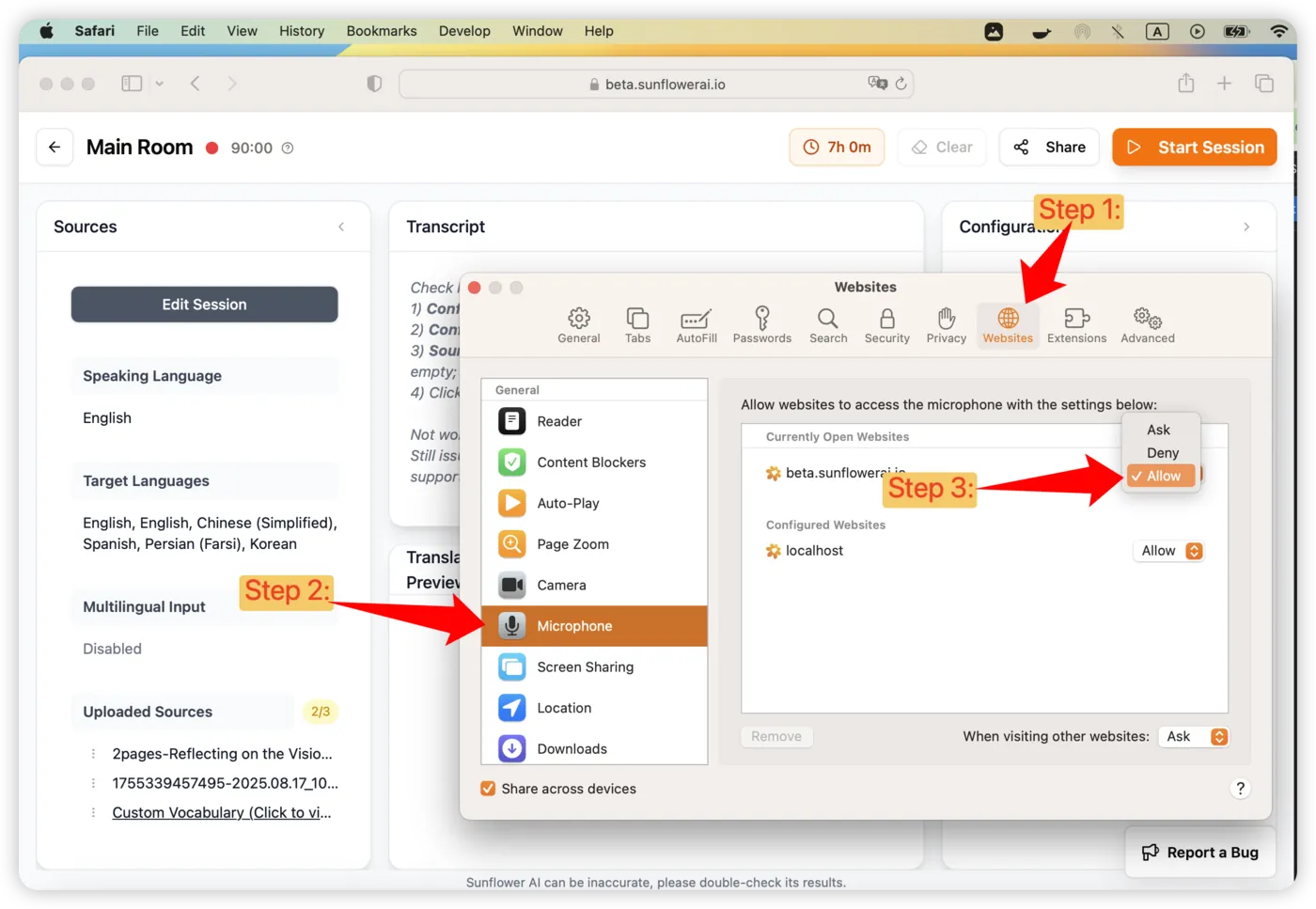
On Safari (below):
Step 1: When Safari browser is on, click Safari→Settings…
Step 2: Click Websites→Microphone→Allow.
About Sunflower AI
Sunflower AI is a Sydney-based startup specialising in AI-powered live captioning and 78 language live translation solutions. We have specially designed AI systems for church translation and for in-person conferences.
Need help?
Call Chuhao (co-founder) +61 423 974 663, or email to chuhao@sunflowerai.io.
Or join our Facebook group for more feature votes and new feature updates.